Open your course room (강의실)
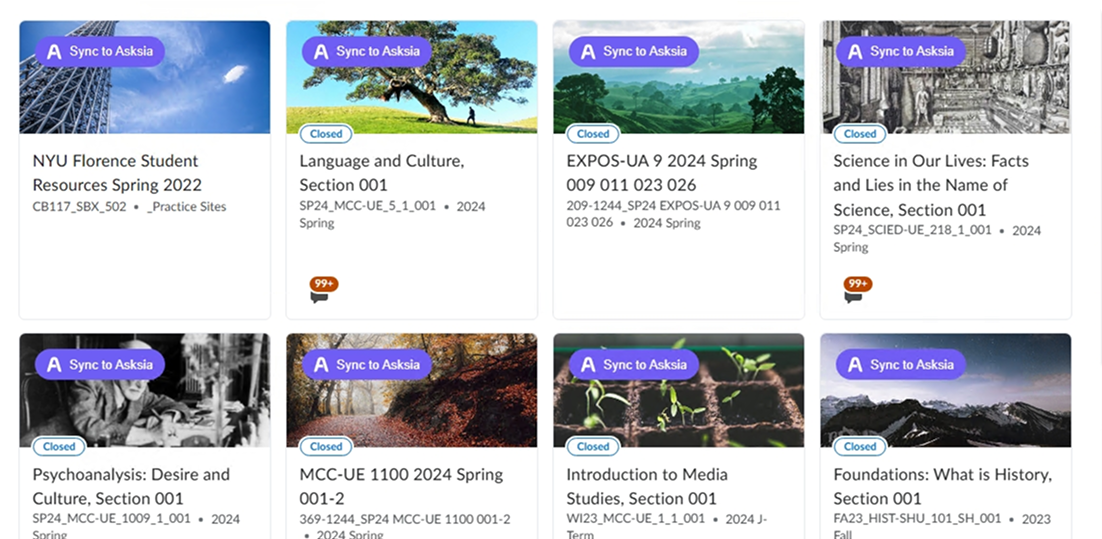
Log into your university's 사이버캠퍼스 as usual. The extension adds a purple Sync to Asksia button next to every 강의자료 and 강의영상 in the weekly modules (주차별 학습).
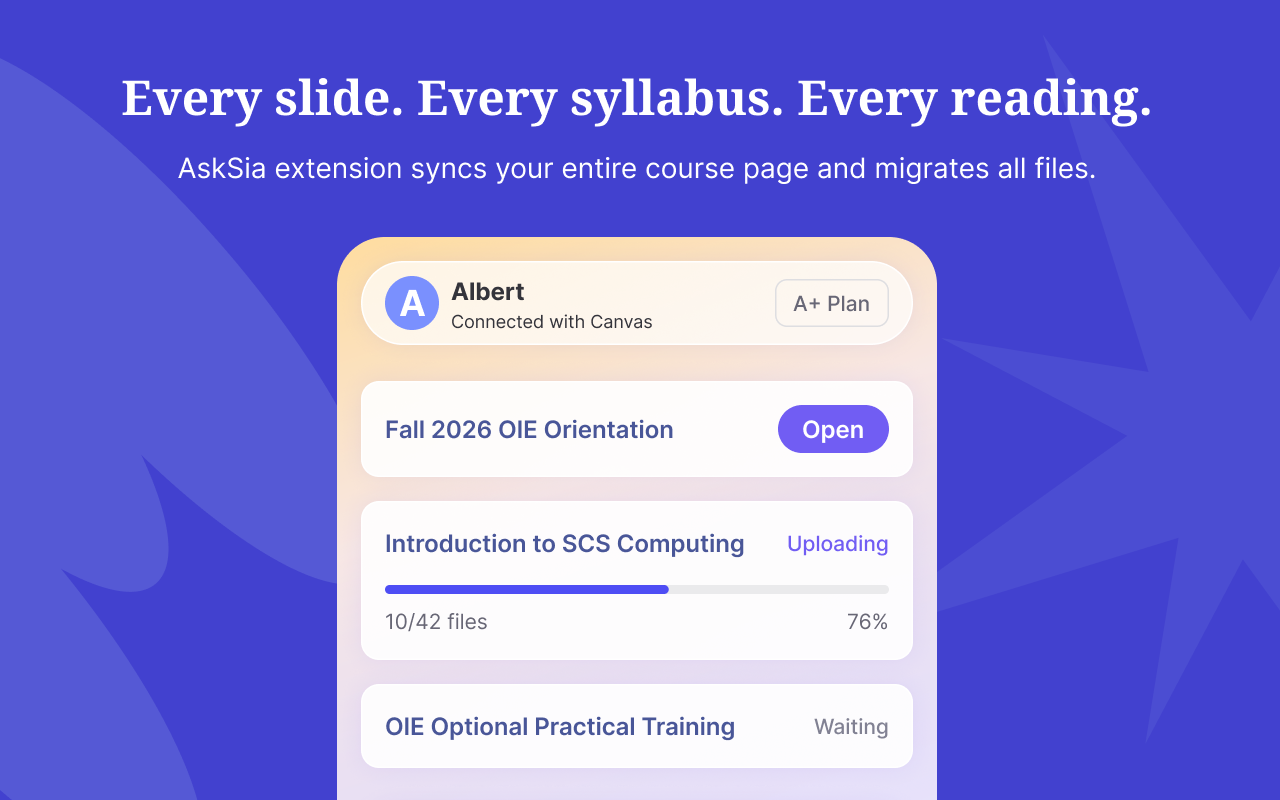
read-only · never writesInstall the extension and a purple Sync to Asksia button appears next to every lecture material (강의자료) and video (강의영상) in your 사이버캠퍼스 course room. One click brings the week's slides, notices and 과제 deadlines into Sia — translated and explained in English or 中文.
Log into your university's 사이버캠퍼스 as usual. The extension adds a purple Sync to Asksia button next to every 강의자료 and 강의영상 in the weekly modules (주차별 학습).
read-only · never writesIt reads a copy of what you can already see — slides, PDFs, notices and 과제 deadlines — into your study space. It never submits assignments, marks attendance, or touches your grades.
no submit · no attendance · no gradesSia summarizes and translates the Korean material in English or 中文, builds a bilingual glossary and practice questions, and turns your deadlines into a study plan.
summary · glossary · planDense 강의자료 PDFs and PPTs become readable in English or 中文 — confusing pages explained, not just translated.
Recorded lectures become a structured summary you can read in minutes instead of rewatching at 2x.
A bilingual glossary of course terms plus exam-style questions generated from the week's materials.
Synced 과제 due dates and 공지 become a clear plan, so nothing slips because it was in Korean.
Never submits 과제, marks 출석, posts to 토론, or changes 성적. Your university LMS stays the untouched system of record.
Works on top of your existing login (SSO included). AskSia never sees or stores your university credentials.
Uninstall from Chrome in one click. Delete synced materials anytime from your AskSia library — your 사이버캠퍼스 stays put.
Published on the Chrome Web Store, with a verified publisher and clean policy record. 4.8 stars from 2M+ students. No official partnership with any university is claimed.
Cyber Campus (사이버캠퍼스) is the name many South Korean universities give to their course LMS. Students use it to access weekly lecture materials (강의자료), recorded video lectures (강의영상), assignments (과제), quizzes, notices (공지사항), and grades for each enrolled course.
It varies by school. Many 사이버캠퍼스 systems run on UBION's Coursemos / Cosmos, a Moodle-based LMS; others use a university-custom platform such as Sogang's ASTRA. The student-facing layout — weekly modules with materials, videos and assignments — is similar across them.
AskSia's Chrome extension works read-only on top of your already-logged-in session. When you click Sync to Asksia on a material or video, it pulls a copy of content you can already see — slides, PDFs, lecture info, notices and assignment deadlines — into your study space. It never stores your password, submits assignments, or changes grades.
Yes. Once a 강의자료 PDF or PPT is synced, Sia can summarize it, explain confusing pages, and build a bilingual glossary in English or 中文 — built for international and Chinese students taking Korean-medium courses.
On the course room (강의실) page, AskSia injects a small purple pill next to each lecture material (강의자료) and lecture video (강의영상) inside the weekly modules (주차별 학습), so you can sync any item with one click.
No. The integration is strictly read-only. It does not write anything back to 사이버캠퍼스 — it cannot mark attendance (출석), submit 과제, post to discussions, or alter your grades (성적). Your university LMS remains the untouched system of record.
That's exactly who it's for. Sync your weekly 강의영상 and 강의자료 and Sia will summarize each week in your language, generate practice questions, and turn your 과제 deadlines into a study plan — so a Korean-taught course becomes studyable.
AskSia targets the common 사이버캠퍼스 course-room layout — weekly modules with materials, videos and assignments — used across Korean universities. Because most instances share the Moodle-based Coursemos structure or a similar layout, the Sync to Asksia button is designed to appear on standard course material rows.
Free Chrome extension. Works on the common 사이버캠퍼스 course-room layout. Read-only — never submits or changes grades.
Install free on Chrome